


How To Choose The Best PTZ Camera For Your Specific?
Mar 18, 2026
Every PTZ camera spec sheet promises broadcast-quality video, seamless integration, and effortless operation. Every Amazon store page and website has the same features.
So, surely it doesn't matter which PTZ camera you buy if they all pretty much do the same thing?
Well, not exactly. The reality is more nuanced.
Choosing the best PTZ camera for corporate events, configuring a PTZ camera setup for live streaming, or building an affordable PTZ camera system requires matching specific technical capabilities to your actual workflow (or one that you can adapt your workflow to for long-term use) -not chasing the longest feature list.
This guide cuts through the marketing jumbo to address the questions that matter: which specs translate to real-world performance, how much zoom you actually need, and where budget tiers deliver diminishing returns.
What Makes a PTZ Camera Different From a Fixed Camera?
PTZ cameras use motorized pan, tilt, and optical zoom mechanisms to capture multiple angles from a single mounting position, replacing multiple fixed cameras with a single remotely operated unit.
While more flexible than traditional static cameras, PTZ cameras have distinct advantages you need to know.
A single PTZ camera can cover an entire room, stage, or venue-eliminating the cost and complexity of mounting, cabling, and managing multiple fixed units. Remote operation means one technician can control several cameras simultaneously, reducing crew requirements without sacrificing production quality.
Preset positions enable instant recall of perfectly framed shots, ensuring consistent results across repeated events.
Modern PTZ cameras also integrate directly with streaming software, video conferencing platforms, and broadcast switchers, streamlining workflows that once required dedicated hardware.
That said, the mechanical components that enable this flexibility-motors, gears, and zoom mechanisms-do require consideration. Heavy continuous tracking accelerates wear over time, and PTZ cameras benefit from periodic maintenance in demanding environments. They also require control systems, whether hardware joysticks, software interfaces, or automated tracking, adding a learning curve for new operators.
Fixed cameras remain the better choice for static wide shots where framing never changes. But when you need dynamic coverage, multiple angles, and operational efficiency, PTZ cameras deliver capabilities that fixed alternatives simply cannot match.
Which Technical Specs Matter Most for Live Streaming?
Prioritize 1080p60 output, H.264/H.265 encoding with direct RTMP streaming capability, and low-light performance of 0.5 lux or better. 4K resolution is great to have, but most streaming platforms cap at 1080p anyway.
A proper PTZ camera setup for live streaming depends on how you're getting video into your software.
NDI|HX protocol enables direct network streaming to OBS, vMix, or
Wirecast without capture cards, which are ideal for multi-camera setups where running HDMI cables becomes impractical. For simpler single-camera streams, USB 3.0 with UVC compliance offers true plug-and-play operation.
Encoding matters more than resolution for streaming. H.264 ensures compatibility with virtually every platform; H.265 delivers better quality at lower bitrates for bandwidth-constrained connections.
Direct RTMP output lets you stream to YouTube, Twitch, or Facebook without a computer in the signal chain at all.
In most cases, you can ignore digital zoom specifications entirely. Digital zoom crops and upscales the image, destroying quality.
Only optical zoom-achieved through physical lens movement-maintains full resolution at telephoto distances. A camera advertising "20x optical, 16x digital" delivers usable zoom only through that 20x optical range.
What Should Corporate Buyers Look for in a PTZ Camera?
Corporate deployments require Microsoft Teams or Zoom certification for IT approval, far-end camera control for hybrid meetings, and PoE+ support for clean single-cable ceiling installations.
The priorities shift in corporate environments.
Platform certification matters because IT departments reject uncertified devices-Teams and Zoom certification guarantees compatibility and unlocks features like native camera controls within the meeting interface.
Far-end camera control allows remote participants to adjust the view themselves, essential when someone dials in and needs to see a whiteboard or shift focus to a different presenter.
And then there's installation.
PoE+ (802.3at) delivers both power and data over a single Ethernet cable, eliminating the need for electrical outlets at ceiling-mounted positions.
Ten or more preset positions enable receptionists or non-technical staff to switch between common room layouts-podium view, full table, whiteboard close-up-without manual PTZ adjustment.
Finally, the field of view determines room coverage.
A 65-degree or wider angle captures full conference tables at typical mounting distances. Narrower lenses require mounting further back or accepting that larger groups won't fit in frame. Measure your room before purchasing.
How Much Optical Zoom Do You Actually Need?
Calculate based on camera-to-subject distance: positions under 20 feet need 10-12x optical zoom, 20-50 feet requires 20x minimum, and large venues exceeding 50 feet demand 30x optical zoom for usable close-up framing.
Zoom specifications mislead buyers who assume higher numbers always mean better cameras. Most PTZ cameras-whether 12x, 20x, or 30x-share similar wide-angle fields of view when fully zoomed out. The difference appears only at the telephoto end: how tightly you can frame a subject from a distance.
Underbuying zoom is one of the most common PTZ purchasing mistakes, particularly for houses of worship and lecture halls. From 50 feet away, a 12x zoom camera cannot deliver a head-and-shoulders shot of a speaker. That same distance requires 20x minimum for acceptable framing, and 30x for broadcast-style tight shots.
The Tenveo VX20M-4K delivers 20x optical zoom with 4K resolution, covering the mid-range distance requirements common in corporate boardrooms and medium-sized venues.
What Separates Budget PTZ Cameras From Professional Models?
The $500-$1,000 tier delivers reliable 1080p60 with 20x zoom and basic connectivity; spending $1,500-$2,500 adds larger sensors for dramatically better low-light performance, NDI protocol support, and smoother motor movement.
An affordable PTZ camera system in the entry tier typically includes 1/2.8-inch sensors, USB and HDMI outputs, and basic IR remote control. These cameras perform adequately in well-lit environments with predictable workflows.
Professional-tier cameras use larger 1/1.8-inch or 1-inch sensors that collect significantly more light per pixel. This translates directly to cleaner footage in challenging conditions-dimly lit conference rooms, stage productions with dramatic lighting, or worship spaces with variable ambient light.
Motor quality also improves substantially, enabling smoother pans and tilts that appear more polished on screen.
Above $2,500, cameras add broadcast-specific features: 3G-SDI outputs for long cable runs, genlock synchronization for multi-camera switching, and native NDI for lowest-latency network streaming. These capabilities matter for professional production environments but exceed most corporate and streaming requirements.
Why Does Network Configuration Cause So Many PTZ Installation Problems?
PTZ cameras on enterprise networks frequently fail because firewalls block control protocols like VISCA-over-IP, IP address conflicts arise in multi-camera deployments, and NDI requires multicast support that most IT departments disable by default.
The solution for reliable operation involves placing PTZ cameras on a dedicated VLAN or separate network segment. This isolates camera traffic from enterprise security policies while maintaining accessibility from control systems.
PoE+ switches (802.3at standard, delivering 30 watts) power most professional PTZ cameras through a single Ethernet cable, simplifying installation.
Budget 15-20 minutes per camera for initial network configuration, even with experienced IT support. Test control connectivity, streaming output, and preset recall before finalizing mounting positions. Troubleshooting network issues after ceiling installation multiplies labor costs significantly.
Can Auto-Tracking Replace a Dedicated Camera Operator?
AI auto-tracking handles predictable movement patterns, such as speakers at podiums or presenters walking along defined paths, but loses subjects during rapid motion changes, audience crossings, or low-contrast lighting conditions-always plan for manual override capability.
Auto-tracking technology has improved substantially over the last few years, but marketing claims consistently overstate reliability.
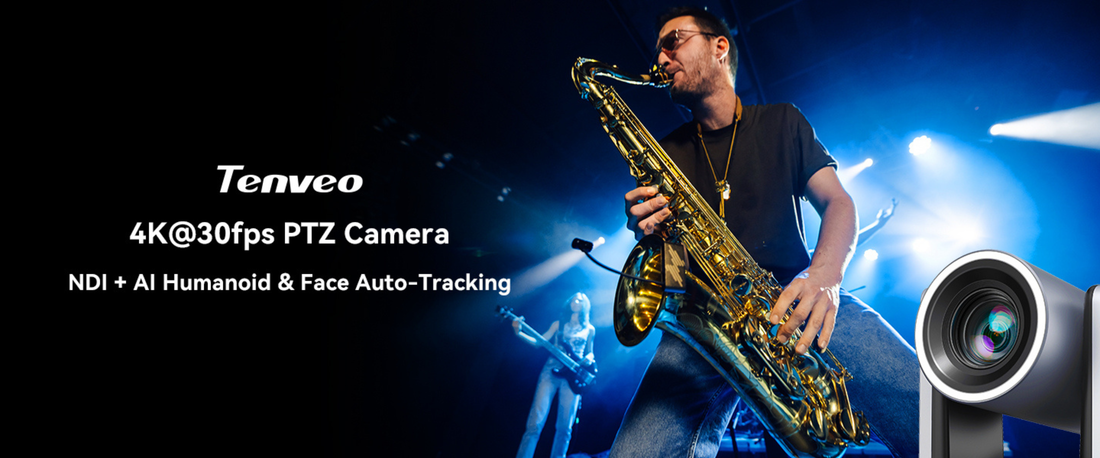
The Tenveo NDI AI Auto-Tracking PTZ Camera uses AI-powered subject detection for hands-free operation in streaming and recording applications, performing well in controlled environments with single presenters.
This auto-tracking works reliably for lectures, sermons, and corporate presentations where subjects move predictably within defined areas.
However, it can struggle with multiple moving subjects, rapid direction changes, and scenes where the subject blends into background colors or lighting. Concert and sports applications almost universally require human operators.
That said, for unattended recording or streaming with a limited crew, auto-tracking provides valuable automation. For live production where missed shots damage the final product, treat auto-tracking as an assistant rather than a replacement for human judgment.
Matching Your PTZ Camera to Your Mission
The best PTZ camera purchase matches technical capabilities to specific workflow requirements-not the longest spec sheet or the most aggressive marketing claims. Livestreamers need encoding options and software integration. Corporate buyers need IT-friendly connectivity and room coverage. Production environments need protocol compatibility and signal reliability.
Start by defining your actual use case: mounting distance, lighting conditions, output requirements, and operator expertise. These factors narrow the field faster than comparing megapixel counts or zoom ratios in isolation.
Explore Tenveo's PTZ camera lineup for streaming, corporate, and production applications that balance professional capabilities with practical value.


