

What should I do if my IP camera has a problem?
Dec 16, 2025
Hey there! As an IP camera supplier, I totally get that running into problems with your IP camera can be a real headache. But don't worry, I'm here to walk you through some common issues and what you can do to fix them.
1. Camera Not Powering On
One of the most basic problems you might face is that your IP camera won't turn on. First off, check if the power adapter is properly plugged into both the camera and the power outlet. Sometimes, a loose connection can be the culprit. If it's plugged in securely and still no power, try using a different power outlet. You'd be surprised how often a faulty outlet can cause this issue.
If that doesn't work, the power adapter itself might be broken. You can try using a different adapter with the same voltage and current ratings as the original one. If the camera powers on with the new adapter, then you know the old one needs to be replaced.
2. No Video Feed
Another common problem is when you can't see any video from your IP camera. Start by checking the network connection. Make sure the camera is properly connected to your Wi - Fi network or Ethernet cable. If it's a Wi - Fi camera, try restarting your router. Sometimes, a simple router reboot can fix network glitches.
You can also try accessing the camera's web interface directly. Enter the camera's IP address into your web browser. If you can't access the web interface, it could mean there's a problem with the camera's network settings or the camera itself. Check if the camera has the correct IP address, subnet mask, and gateway settings.
If the camera is connected to a PoE (Power over Ethernet) switch, make sure the switch is working properly. You can try connecting the camera to a different PoE port on the switch.
3. Poor Video Quality
If the video quality from your IP camera is poor, there could be several reasons. First, check the camera's resolution settings. Make sure it's set to the highest resolution that your network can support. If your network bandwidth is limited, a high - resolution setting might cause the video to be choppy or pixelated.
The camera's lens might also be dirty. Use a soft, dry cloth to clean the lens gently. A dirty lens can reduce the clarity of the video.

Lighting conditions can also affect video quality. If the area where the camera is installed is too dark, the video might appear grainy. Consider adding additional lighting or adjusting the camera's night vision settings.
4. Connectivity Issues
Sometimes, you might have trouble connecting to your IP camera remotely. This could be due to port forwarding issues on your router. You need to configure port forwarding on your router to allow external access to your camera. Check your router's manual or contact your router's manufacturer for instructions on how to set up port forwarding.
Also, make sure your camera's firmware is up - to - date. Outdated firmware can cause connectivity problems. You can usually update the firmware through the camera's web interface.
5. Audio Problems
If your IP camera has an audio function and you're having problems with it, first check if the audio is muted. Make sure the volume settings on the camera and the device you're using to view the camera are turned up.
The microphone on the camera might be damaged or blocked. Check if there's anything covering the microphone and clean it if necessary. If the problem persists, the microphone might need to be replaced.
Our Product Recommendations
We offer a range of high - quality IP cameras and related products to meet your needs. For example, our AI Tracking 20x zoom PTZ Video Conference Camera is perfect for video conferencing. It has advanced AI tracking technology and 20x zoom capabilities, providing clear and smooth video.
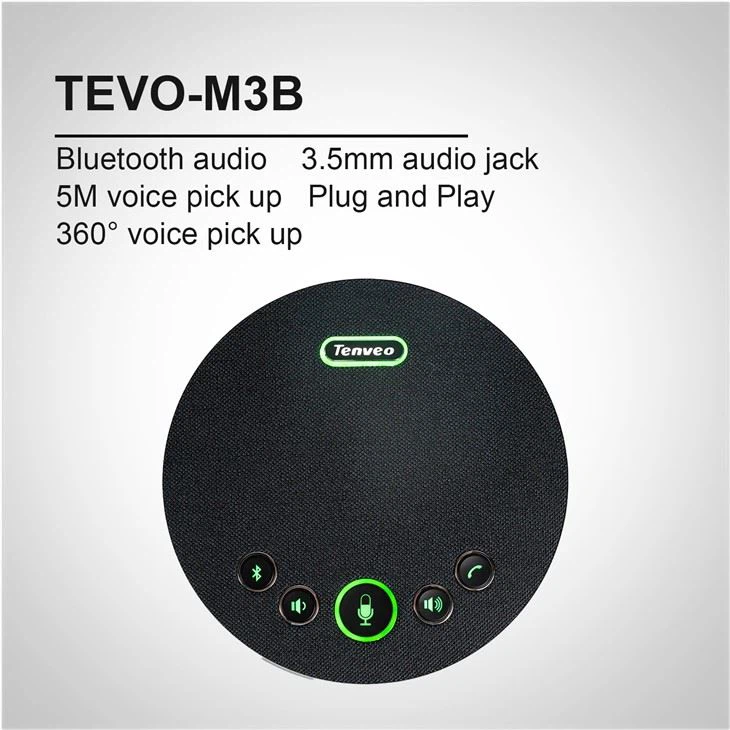
If you're looking for a good microphone for your video conference, our TEVO - M3B best USB omni directional microphones for video conference is a great choice. It offers excellent sound quality and is easy to use.
And our USB 2.0 HD Video Conference Camera is a reliable option for those who need a simple yet high - performance camera for video conferencing.
Let's Talk Business
If you're facing problems with your IP cameras or are interested in purchasing new ones, we're here to help. Our team of experts can provide you with technical support and advice on choosing the right products for your needs. Whether you're a small business or a large enterprise, we have solutions that can fit your requirements.
Don't hesitate to reach out to us for more information or to start a procurement discussion. We're committed to providing you with the best products and services in the industry.
References
- General knowledge about IP camera troubleshooting
- Product manuals of our IP cameras and related products