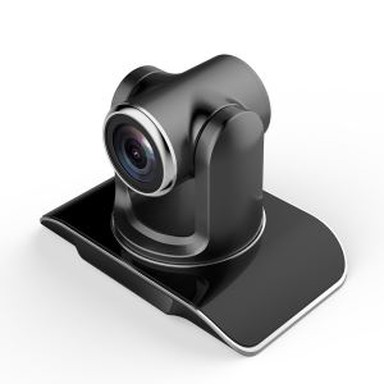
Mobile HD External Video Capture Card Introduction
May 17, 2018
Mobile HD External Video Capture Card Introduction

The video capture solution is mainly introduced for conditions that require frequent replacement of shoot sites. The omni-directional microphone manufacturer is a portable conference phone product that can not only conduct high-quality Internet telephony conferences on the Internet through the interface of the computer, but also can use the headphone jack as a speaker and microphone for wireless mobile phones. Hands-free calling equipment for high-quality wireless mobile phone conferences. Its classic and elegant style is easy to carry. The microphone pickup direction can be selected according to the conference scene and is suitable for use in conference rooms and offices. The video capture card is also called a video card. It is used to input video data or mixed video and audio data output from analog video cameras, video recorders, LD video players, and television output video signals into a computer and convert them into computer-readable digital data. Stored in the computer as an editable video data file. According to their use can be divided into broadcast video capture card, professional video capture card, civil video capture card. Compared to the traditional built-in capture card (Capture card) built into the host computer motherboard is not suitable for mobile capture card and other scenes. So there is an external capture card. The same applies to an external video capture card and a built-in capture card. The video information output by a high-definition (transmission) camera can be captured on a computer.
External capture card (Capture card)
Need to prepare (hardware) hardware
External capture card (Capture card), video (Camera), notebook, the corresponding video line. After we have prepared the corresponding equipment, we can connect these devices. The video output interface of the video camera is connected to the video input interface of the external capture card. Such as HDMI camera connected to the HDMI external capture card HDMI input interface. Connect the USB port of the external capture card to the USB port of the notebook with a USB cable.
Turn on related devices
After the devices are connected, plug in the power supply. Normally, the USB external video capture card can be powered by the USB and consumes less power, so no additional power supply is required. The video camera needs to be connected to the power supply. There are also notebooks that need to be connected to power. After connecting the power supply, related devices can be turned on.
An external capture card with a procedure is usually installed. You can use the software to display and save the contents of the external video capture card. Some capture cards are also equipped with professional video capture processing. Software, this can consult suppliers or merchants. High-definition conferencing camera quality guaranteed. Meetings do not have to worry about problems with accessories! Relatively speaking, the operation control of video capture is relatively simple.