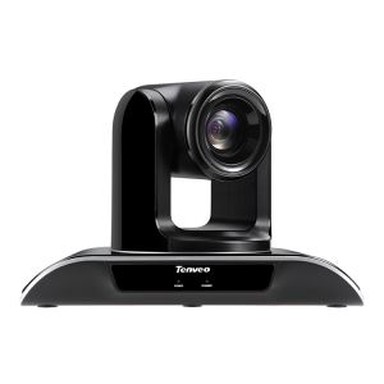
Video conferencing cameras: A beginner's guide
Apr 12, 2017
Check out equipment choices for the three major types of video conferencing: desktop conferencing, small-group conferencing and large-group conferencing.
Cut back on the expense and carbon footprint of constant traveling and add another layer of interaction to your business meetings with video conferencing. Not only are these digital meetings eco-friendly, they provide a more personal way to collaborate over long distances than simply talking on the phone. This beginner's guide will help you determine which video conferencing cameras are right for you, and learn a few details that will make your virtual business meetings more successful.

There are three major types of video conferencing: desktop conferencing, small-group conferencing and large-group conferencing. Depending on your needs, your equipment may be nothing more than a webcam and a omni-directional microphone or could be as complicated as a television broadcast, with several high-quality cameras.
Single-User Desktop Video Conferencing
When you're first starting out with video conferencing, if you're just using it for informal purposes like communicating with colleagues every now and then, you might not need anything more complex than a webcam and a video-enabled instant messaging system like Skype. These basic video conferencing tools will not offer the professional feel that may be desired for communications with critical customers or other parties, but it will allow you to see the person you're speaking with.
Webcams range from built-in cameras in laptops to high-definition video conferencing cameras with a 1920x1080 pixel resolution and 30 frames per second, like the FREETALK by Everyman HD. Many webcams have built-in microphones, but you can always purchase a headset to improve sound quality.
Free programs that support video chat include the previously mentioned Skype, Apple's iChat, Windows Live Messenger, Yahoo Messenger and AOL Instant Messenger. Many of these programs offer special effects like video backdrops, and some can capture video of chats for later playback.
Video Conferencing for Small Businesses
Recent advances in technology have dramatically improved image quality, and modern video conferencing cameras make virtual meetings an efficient option for small groups and crucial communications. These group video conferencing solutions go beyond consumer-level video-calling services to offer HD-quality video, desktop views, whiteboard sharing, slideshows and other options that enable all the same interactions as a face-to-face conference.
For small-group interactions, video conferencing cameras used in conjunction with desktop computers may be enough. Monthly paid services like A+ Conferencing allow unlimited video interactions between up to five people, and are used in conjunction with a high-quality webcam. Tenveo's video conference software offers no-sweat solutions for up to 150 people.
Digital video cameras offer sharper, faster images than webcams, and can be set up on tripods to capture a group. Video conferencing kits can be purchased which include high quality multi-point cameras, microphones, remote controls, camera mounts for LCD televisions and computer software. These kits can range from $500 to $10,000.
Broadcast-Quality for Bigger Groups
Large-group video conferencing often requires more complicated equipment, particularly if you want the best quality video and audio. Such a setup can reach hundreds of thousands of dollars in cost, but offer broadcast-quality results that can make it seem as if all conference participants are in the same room, even if they're located all over the globe.
Professional-quality, large-group video conferencing requires several high-quality cameras, multi-directional microphones and projection screens. They use a lot of bandwidth, and can require dedicated servers in some cases. Typically non-portable, they are often set up permanently in a boardroom.
If a company needs this sophisticated digital meeting technology only on rare occasions, renting a local video conferencing space from companies like Tenveo video conference software may be the best option.
Tenveo makes any meeting better & easier.
Facebook: Rachel Liang
Skype:Rachel Liang
What’s APP: +8613657740706
Email: sales01@tenveo.com
We chat: 8613657740706
QQ: 451810239